mIDE documentation
A quiet desktop editor for learning web programming by writing code manually. No autocomplete, no AI, no language servers.
mIDE means minimal IDE. It edits HTML, CSS, JavaScript, TypeScript, React and Astro, and it is built for people who want to practise writing their own code instead of accepting suggestions.
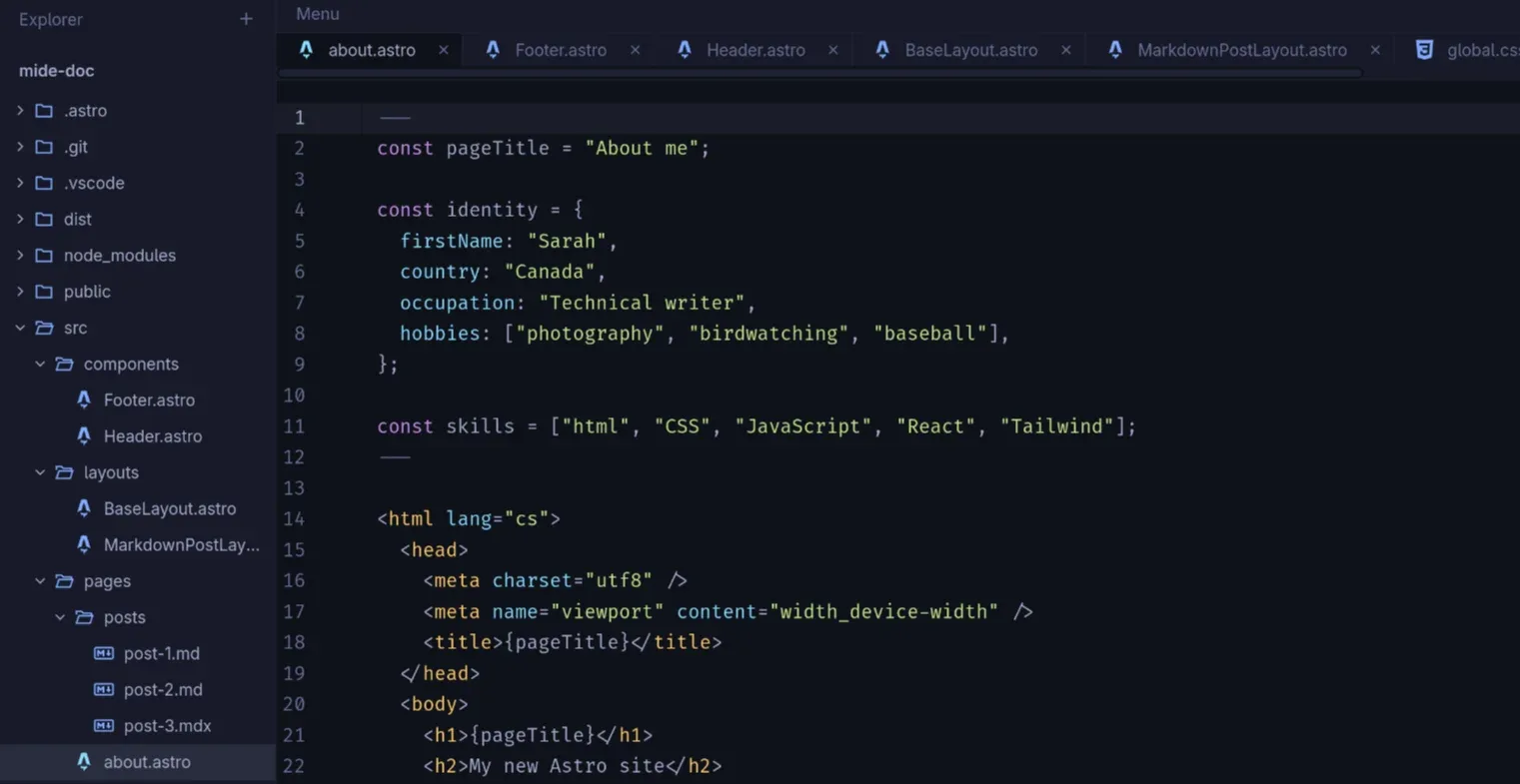
The editor gives you an Explorer, file tabs, a text editor, a status bar and an optional terminal. Everything else is left to you and your browser.
What mIDE is
mIDE is a Tauri 2 desktop application written in Rust, React and TypeScript, with CodeMirror 6 as the editor. One window holds one project. There is no global state framework, no telemetry and no account.
| Version | 0.4.0 |
| Platform | Linux x86_64 AppImage. Tested only on Arch Linux and Omarchy. |
| Languages | HTML, CSS, JavaScript, TypeScript, JSX, TSX, Astro, JSON, Markdown and MDX |
| License | MIT |
The point is comfortable manual editing with keyboard access. Syntax highlighting and explicit formatting help you read and tidy code; they do not write it for you.
What it leaves out
These omissions are deliberate product decisions, not missing features on a roadmap. Alternative editors cover them better.
- No completion or auto-closing
- No code suggestions, no automatic brackets or tags. You type the closing tag, the quote and the brace yourself.
- No language servers or AI
- No LSP, diagnostics, error squiggles, AI assistants or chat. Browsers and developer tools reveal runtime problems.
- No Git interface
- Git runs in the integrated terminal, using your own configuration.
- No debugger, extensions or accounts
- No extension system, debugger, embedded documentation viewer, telemetry or cloud features.
The workspace
The interface follows the same shape in both themes. The Explorer sits on the left with a resizable divider, tabs are 38px high, the status bar is 25px, and the editor uses a monospace font at 14px by default.
- Explorer — open a folder, then click a file to edit it. Create, rename, move and delete items in place.
- Tabs and editor — one tab per file, a dot for unsaved changes and one undoable formatting action.
- Status bar — Go Live for a local static server, plus the current file and cursor position.
- Terminal — hidden by default, starts in the project root and keeps running while hidden.