Sources
An offline-browsable library of 72 documentation, learning, tool and asset links, plus personal entries and troubleshooting guides.
Sources is a global library of web development links. It is available without opening a project, needs no network connection to browse, and opens links in your system browser.
What Sources is
The bundled catalog contains 72 entries, each with one category, a short explanation of when to use it and optional tags. It covers the technologies mIDE edits, plus learning material, tools, colors, fonts, icons, photos and inspiration.
| Category | Entries |
|---|---|
| Documentation | 14 |
| Learning & Articles | 10 |
| Tools | 14 |
| Colors & Gradients | 8 |
| Fonts | 6 |
| Icons & Illustrations | 8 |
| Photos | 5 |
| Inspiration | 7 |
Photos, fonts and icons are links to third-party services. Review each asset's license before using it; the catalog listing is not a license grant.
Browsing
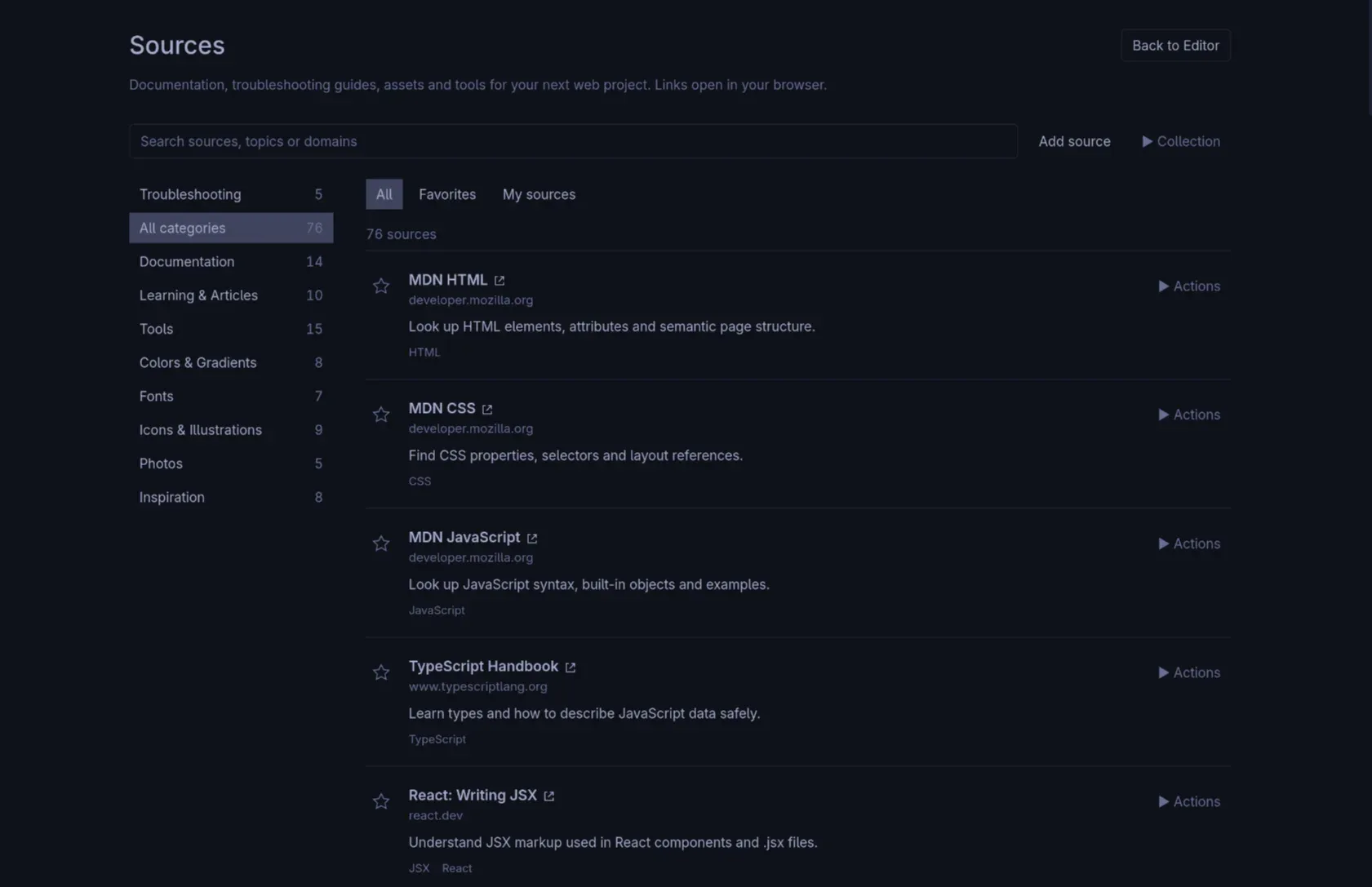
Open Sources from the menu or the start screen, or toggle it withCtrl Alt S. Search by name, domain or topic, filter by category, and star favourites. Favourites and hidden entries are stored by stable IDs, so they survive catalog updates.
Esc leaves Sources, but it collapses an expanded guide first when one is open.
Your own entries
- Add and edit personal sources with their own title, URL and description.
- Hide built-in entries you do not want, and restore them later.
- Save a built-in entry as your own to edit its description or category.
Your collection is stored locally and is shared across projects. It is not tied to the folder currently open.
Import and export
The collection can be exported to a JSON file and imported again through native file dialogs. Import offers two modes:
- Merge
- Keeps local entries with matching IDs and unions favourites and hidden IDs.
- Replace
- Replaces only the user collection. The bundled catalog is never replaced by an import.
Imported and persisted collections are limited to 1 MiB of UTF-8. IDs of custom entries cannot collide with bundled IDs, and unknown preference IDs are retained so that an older collection is not silently discarded.
Troubleshooting guides
Sources → Troubleshooting contains five offline guides: stylesheet loading, missing images, ineffective CSS rules, unresponsive buttons and small-screen layouts. Each one explains ordered checks in mIDE and in browser developer tools, with MDN links that open externally.
Search includes guide steps and examples. The guides do not scan or change project files; they are reading material, not an automated check.
Collection format
User collections use JSON version 1 with three top-level fields:customSources, favoriteIds andhiddenBuiltinIds. Each custom entry has id,title, url, description,category and tags.
Catalog maintenance rules and the full format are documented in the repository:docs/sources.md.